NIN Validation Portal: How to Verify Your NIN Online, Access NIMC Services and Check Your Details
The NIN validation portal provides access to Nigeria’s National Identification Number (NIN) verification services, allowing authorised organisations and individuals to authenticate identity information through systems operated by the National Identity Management Commission (NIMC).
The National Identification Number is an 11-digit identification number assigned to individuals enrolled in Nigeria’s National Identity Database. It serves as an important identity reference for accessing government services, financial services, telecommunications services and other activities that require identity verification.
Ejes Gist News reports that NIMC operates several digital identity platforms, including its NIN Verification Service (NVS), NIN Authentication Service (NINAuth) and mobile identity applications. These platforms serve different purposes, and understanding their functions can help Nigerians identify the appropriate portal for checking their identity information or verifying another person’s NIN.
People searching for a NIN validation portal, free NIN verification, NIN verification online or NIN verification portal login should understand that not every verification service is available to members of the public. Some platforms require registration, organisational approval and authorised access.
This guide explains how the NIN validation portal works, how to access official NIMC services, how to verify a NIN, how organisations can use the verification platform and how individuals can check their NIMC details online.
What Is the NIN Validation Portal?
The NIN validation portal refers to the digital platforms used to confirm the authenticity of a National Identification Number and the identity information associated with it.
The National Identity Management Commission maintains Nigeria’s National Identity Database and provides identity verification services to authorised government institutions, private organisations and other approved users.
NIN validation helps an organisation establish whether the identification information supplied by an individual corresponds with the records maintained by NIMC.
For example, banks, telecommunications companies, government agencies and other institutions may need to authenticate a customer’s identity before providing certain services.
How Your NIN Could Link You to Crimes You Never Committed – Police PRO
NIMC’s verification infrastructure includes the NIMC Verification Service (NVS) and the newer NIN Authentication Service (NINAuth).
The distinction is important because a person checking their own identity details does not necessarily need the same access credentials required by a bank or government agency.
Official NIMC website: https://nimc.gov.ng/
Official NINAuth platform: https://ninauth.nimc.gov.ng/
NIN validation portal profile
https://nimc.gov.ng/verify-profile
How to Access the Official NIN Validation Portal
Anyone looking for the official NIN validation portal should begin with the NIMC website rather than relying on unofficial websites advertising free NIN verification.
Visit the official NIMC website at https://nimc.gov.ng/ to explore available identity management services.
The website provides access to information about NIN enrolment, identity verification, self-service modifications, mobile applications and other digital identity services.
For individuals, the appropriate service depends on whether they want to:
- Check their NIN information.
- Verify their identity using a mobile identity application.
- Retrieve or access their NIN slip.
- Correct information linked to their NIN.
- Authenticate their identity for an organisation.
For businesses and government institutions, NIMC provides dedicated verification arrangements that require authorised access.
NIN Verification Portal Login: How Organisations Access the Verification System
The NIN verification portal login process for authorised organisations differs from the process available to ordinary individuals.
NIMC’s verification infrastructure provides access to approved institutions that need to authenticate customers, employees, applicants or other individuals.
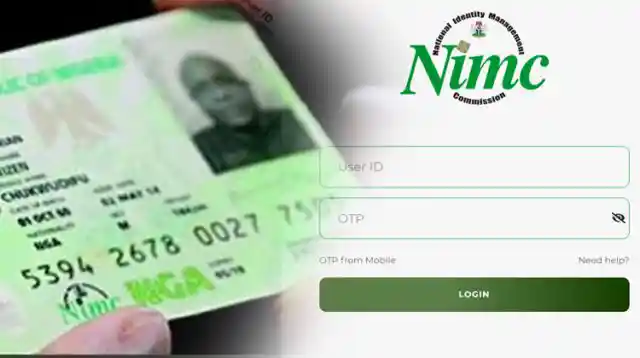
The virtual NIN validation platform at https://ent.nimc.gov.ng/ has also provided dedicated access for registered organisations, administrators and verification agents.
According to the Nigeria Inter-Bank Settlement System (NIBSS), institutions must first be profiled before accessing the virtual NIN validation service.
Requirements for NIN Verification Portal Login
Depending on the user’s role, the login process may require:
- An Enterprise Short ID assigned to the organisation.
- A registered User ID.
- An authorised account created by the organisation’s administrator.
- A One-Time Password (OTP) generated through the supported NIMC mobile application.
How to Log In as a Verification Agent
NIBSS provides the following procedure for authorised verification agents:
- Visit https://ent.nimc.gov.ng/.
- Select the Verification Agent login option.
- Enter the Enterprise Short ID assigned to your institution.
- Enter your registered User ID.
- Select the login option to continue.
- Generate an OTP using the supported NIMC mobile application.
- Enter the OTP and select Access Account.
- After successful authentication, access the verification dashboard.
- Enter the Virtual NIN supplied by the customer.
- Select Run Verification Service to validate the Virtual NIN.
These instructions apply to registered verification agents. They do not mean that members of the public can create agent accounts without institutional approval.
Source: NIBSS Helpdesk, instructions on accessing the virtual NIN validation portal as an agent.
What Is the NIMC Verification Service (NVS)?
The NIMC Verification Service (NVS) is an identity verification platform designed to enable authorised organisations to confirm information associated with individuals enrolled in the National Identity Database.
It supports identity verification requirements across different sectors of the Nigerian economy.
Organisations may use verification services to establish whether the personal information supplied by a customer matches the records maintained by NIMC.
The service is relevant to institutions that have legal and operational reasons to authenticate identities, including financial institutions, government agencies and other approved organisations.
NIMC provides different verification access arrangements, including web-based and API-based services.
According to the NIMC website’s published service information, access to NVS is subject to the access level requested, while API access arrangements are available to approved and registered developers under the applicable conditions.
Official information: https://nimc.gov.ng/fees
NIN Validation Portal for Businesses and Government Agencies
Businesses and government institutions that require NIN verification should use the official NIMC-approved access arrangements.
The application process for NINAuth enterprise users includes organisational eligibility checks, compliance requirements and access through approved verification partners.
NINAuth’s published enterprise requirements include compliance with the Nigeria Data Protection Act, a physical presence in Nigeria and informed consent for identity matching.
Organisations should therefore establish their eligibility and verification requirements before applying for access.
Official enterprise information: https://ninauth.nimc.gov.ng/enterprises
NIN Validation App: Which Application Should You Use?
People searching for a NIN validation app should distinguish between applications designed for personal identity management and platforms intended for institutional verification.
NIMC provides digital identity applications that allow individuals to access and present their identity information.
Its official website lists the NINAuth application among its digital identity services.
The Mobile Web Services (MWS) Mobile ID application has also provided functionality for presenting and verifying a person’s mobile identity profile.
How to Verify Your Identity Using the NIMC Mobile ID Application
NIMC provides instructions for verifying a profile through its mobile identity application.
The process includes:
- Install and open the supported MWS Mobile ID application.
- Enter your PIN to unlock the application.
- Select Show My ID from the home screen.
- Choose the information you want to share by selecting Basic ID or Full ID.
- Allow the authorised verifier to scan the QR code displayed on your screen.
- The verifier’s application displays the verified photograph and names associated with the scanned mobile identity profile.
NIMC explains that the verified information is displayed through the verification process rather than being stored on the verifier’s mobile device.
This provides an alternative to sharing physical identity documents during supported verification exercises.
Official instructions for nin validation portal: https://nimc.gov.ng/verify-profile
Free NIN Verification: Can You Verify Your NIN Without Paying?
Free NIN verification is one of the most common searches among Nigerians who want to confirm their identity information without paying an unauthorised third party.
However, it is important to distinguish between free NIN enrolment, personal access to identity services and commercial identity verification.
According to NIMC’s published fees, initial NIN enrolment for adults and minors is free.
However, the commission lists NIN Verification Service access as negotiable, depending on the level of access requested.
This means that the availability of free enrolment does not automatically make every institutional verification service free.
Individuals should use official NIMC services and applications to access their identity information. They should avoid websites or individuals demanding payment for services that NIMC provides without charge.
Is There a Free NIN Verification Portal for Everyone?
There is no basis for assuming that every Nigerian can use a public website to search the National Identity Database by entering another person’s NIN.
Access to identity information is controlled to protect personal data and prevent unauthorised disclosure.
Individuals should use approved identity verification methods, while organisations must obtain the necessary authorisation to access institutional verification services.
NIMC’s official fees page provides information about the applicable charges:
https://nimc.gov.ng/fees
NIN Verification Online: How to Check Your Identity Information
NIN verification online allows individuals and authorised institutions to establish the authenticity of identity information through NIMC-approved digital services.
For individuals, the available options include using supported NIMC mobile identity applications and accessing the commission’s official services.
If you want to verify your own identity, follow these steps:
- Visit the official NIMC website.
- Identify the relevant identity service.
- Use the supported mobile application or verification method.
- Follow the authentication instructions.
- Confirm that the displayed information corresponds with your registered identity details.
Individuals should remember that checking their own identity information is different from conducting a database search on another person.
NIN Verification Portal Immigration: How NIN Is Used for Immigration Purposes
The search phrase NIN verification immigration portal is commonly associated with Nigerians who need identity verification for immigration-related applications and services.
The National Identification Number is an important identity reference in Nigeria. However, NIMC and the Nigeria Immigration Service are separate government institutions with different responsibilities.
NIMC manages national identity registration and verification, while the Nigeria Immigration Service administers immigration-related services, including passport processing and other immigration functions.
A person who needs to verify their NIN for an immigration-related application should follow the identity requirements provided by the relevant immigration authority.
Where NIN authentication is required, the verification should take place through an approved NIMC service or an authorised verification channel.
Applicants should not confuse the NIMC verification platform with the Nigeria Immigration Service passport application portal.
They should also avoid unofficial websites claiming to provide special immigration NIN verification access.
NIN Slip Portal: How to Access Your NIN Slip
The NIN slip contains important identity information associated with an individual’s National Identification Number.
It is commonly used as evidence of NIN registration when an institution requests proof of identity.
People searching for the NIN slip portal may want to retrieve, download, print or replace their identity slip.
NIMC provides digital identity services and self-service options through its official platforms.
Individuals should use the official NIMC website to identify the appropriate service for accessing their NIN information.
What to Do If You Lose Your NIN Slip
Losing your physical NIN slip does not mean that your National Identification Number has been cancelled.
Your NIN remains associated with your identity record in the National Identity Database.
If your slip is lost or damaged, you can check NIMC’s official service information for the procedure and applicable reissuance charges.
NIMC’s published fee schedule lists NIN slip reissuance at ₦600 for loss, damage or theft, subject to the applicable service conditions.
Official fees: https://nimc.gov.ng/fees
How to Check My NIMC Details Online
The question of how to check my NIMC details online is particularly important for Nigerians who want to confirm that their registered information is accurate.
NIMC maintains identity information associated with each enrolled individual, including demographic and biometric records.
The appropriate way to access or verify these details depends on the service required.
Steps to Check Your NIMC Details
- Visit https://nimc.gov.ng/.
- Identify the official service relevant to your request.
- Access the supported mobile identity application where applicable.
- Complete the required authentication process.
- Review the identity information made available through the authorised service.
If you discover an error in your registered name, date of birth or other personal information, you may need to request a modification through the NIMC self-service platform or an authorised enrolment centre.
NIMC also provides online self-service modification facilities for eligible applicants.
The commission’s published fee schedule identifies separate charges for different modification requests.
Users should verify the applicable requirements and charges before submitting an application.
NIN Verification: What Information Can Be Confirmed?
NIN verification helps establish whether an individual’s identity information corresponds with the records maintained by NIMC.
Depending on the verification method and the access level granted, the process may involve checking:
- The authenticity of the National Identification Number.
- The individual’s registered name.
- The associated passport photograph.
- Relevant demographic information.
- Other identity attributes authorised for verification.
Not every verification user has unrestricted access to all information in the National Identity Database.
The information available depends on the authorised service, the verification purpose and applicable data protection requirements.
NIN Validation Portal Not Working? Common Problems and Solutions
Users may encounter difficulties when trying to access the NIN validation portal or complete an online identity verification process.
Some problems are related to incorrect information, authentication failures, network connectivity or restricted access.
The following are common issues and possible solutions.
1. Incorrect NIN
A NIN contains 11 digits. Entering an incorrect number can cause verification to fail.
Check the number against your official NIN slip before submitting it.
2. Name Mismatch
A name mismatch may occur when the information supplied to an organisation differs from the details registered with NIMC.
Check the spelling and order of your names. If your NIMC record contains an error, follow the official modification process.
3. OTP Authentication Failure
Some institutional verification platforms require a One-Time Password.
If authentication fails, confirm that you are using the correct registered mobile application and that the OTP has not expired.
4. Unauthorised Access
A person attempting to use the institutional NIN verification portal without an approved account may receive an access error.
Contact your organisation’s administrator or the relevant NIMC-authorised service provider.
5. Network or Server Problems
Poor internet connectivity or temporary service interruptions may prevent successful verification.
Check your connection and retry through the official platform.
6. Incorrect Verification Platform
Using a platform intended for a different type of verification can also cause problems.
For example, an individual seeking to check personal identity information may not need the enterprise login system used by institutional verification agents.
NIN Validation and Data Protection: What Nigerians Should Know
The National Identification Number is sensitive personal information and should be handled carefully.
Nigerians should avoid publishing their complete NIN on public websites, social media platforms or unverified online services.
They should also avoid sharing OTPs, application PINs and account credentials with strangers.
The Nigeria Data Protection Act establishes requirements for the lawful processing and protection of personal information.
Organisations that collect or verify NIN information must comply with applicable data protection obligations, including obtaining the necessary legal basis or consent where required.
NIMC’s NINAuth enterprise requirements also identify data protection compliance and informed consent as important conditions for organisational access.
Anyone who suspects that their identity information has been exposed should contact the appropriate official service provider for assistance.
Official NIMC Websites and NIN Verification Resources
The following are relevant official platforms and resources for Nigerians seeking NIN verification and identity management services.
| Platform | Purpose | Official website |
|---|---|---|
| NIMC official website | General identity management services | https://nimc.gov.ng/ |
| NINAuth | Digital identity authentication | https://ninauth.nimc.gov.ng/ |
| NINAuth enterprise | Organisational verification access | https://ninauth.nimc.gov.ng/enterprises |
| NINAuth getting started | Verification procedures | https://ninauth.nimc.gov.ng/get-started |
| NIMC profile verification | Mobile identity verification instructions | https://nimc.gov.ng/verify-profile |
| NIMC fees | Official service charges | https://nimc.gov.ng/fees |
| Virtual NIN validation portal | Institutional verification platform | https://ent.nimc.gov.ng/ |
Users should confirm the availability and applicable access requirements of each service through NIMC before submitting personal information.
Frequently Asked Questions About the NIN Validation Portal
1. What is the official NIN validation portal?
The official starting point for NIN services is the National Identity Management Commission website at https://nimc.gov.ng/. NIMC also operates NINAuth for digital identity authentication and provides institutional verification arrangements.
2. How can I log in to the NIN verification portal?
The login procedure depends on the platform. Authorised verification agents using the virtual NIN validation system require an Enterprise Short ID, User ID and OTP. Ordinary individuals should use the appropriate personal identity services.
3. Is free NIN verification available online?
NIMC provides free initial NIN enrolment. However, institutional verification services may attract charges depending on the access level and applicable arrangements. Individuals should use official NIMC services rather than unauthorised third-party websites.
4. Which NIN validation app is official?
NIMC lists NINAuth among its official digital identity services. The commission has also published instructions for using the MWS Mobile ID application to present and verify a mobile identity profile. Download applications only through official channels.
5. How do I check my NIMC details online?
Visit the official NIMC website and identify the appropriate identity service. You can also use supported NIMC mobile identity applications to access and present your identity information.
6. Can I verify someone else’s NIN?
Identity verification involving another person must be conducted through an authorised method and for a legitimate purpose. NIMC provides mobile profile verification and institutional verification services subject to applicable access requirements.
7. What is the NIMC Verification Service (NVS)?
NVS is an identity verification service that enables authorised organisations to authenticate information associated with individuals registered in the National Identity Database.
8. What is the difference between NVS and NINAuth?
NVS is NIMC’s identity verification service, while NINAuth is its digital identity authentication platform. NINAuth provides verification methods designed to support secure identity authentication across government and private-sector services.
9. Is the NIN verification portal the same as the immigration portal?
No. NIMC manages national identity registration and verification, while the Nigeria Immigration Service handles immigration-related services. Applicants should use the relevant agency’s official platform.
10. How can I replace a lost NIN slip?
Visit the official NIMC website and check the NIN slip reissuance service for the applicable procedure and charges.
11. Why is my NIN verification failing?
Possible reasons include an incorrect NIN, mismatched personal information, expired OTP, network problems or lack of authorisation to access the verification platform.
12. Can I use the NIN validation portal on my phone?
Yes. NIMC provides mobile identity services and applications. The available functions depend on the application and the verification method being used.
13. Does everyone have access to the NIN verification portal?
No. Some verification services are restricted to approved organisations, administrators and authorised verification agents. Individual users have access to designated personal identity services.
14. What should I do if my NIN details are incorrect?
Use NIMC’s official self-service modification platform or visit an authorised enrolment centre, depending on the type of correction required.
15. Is the NIN slip portal different from the NIN validation portal?
Yes. The NIN slip service concerns accessing or replacing an individual’s NIN slip, while the validation service is concerned with authenticating identity information against official records.
Official Contact and Assistance
For enquiries concerning NIN enrolment, verification, identity modifications and other national identity services, Nigerians should use the contact information published on the official NIMC website.
NIMC official website: https://nimc.gov.ng/
NIMC toll-free number: 08000616462
Individuals should avoid sharing their NIN, OTP or application PIN with unauthorised persons claiming to offer verification assistance.
Ejes Gist News stands for truth, responsible journalism, editorial integrity and fearless accountability.
You May Also Like


Trending Now