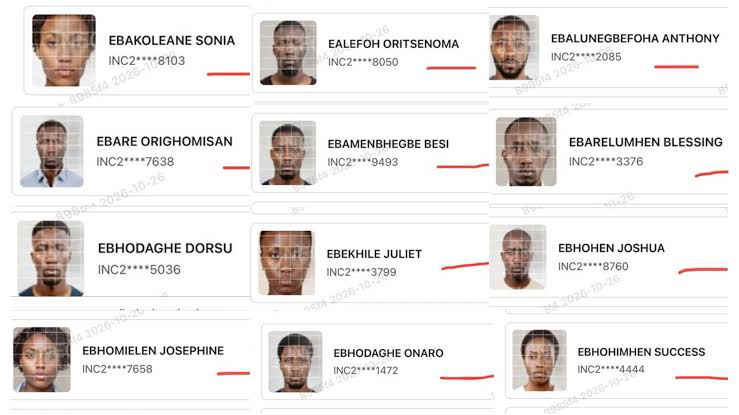

How to Apply for INEC Adhoc Staff Recruitment: Step by step Guide
The Independent National Electoral Commission (INEC) has published official guidelines for citizens seeking engagement as adhoc staff for upcoming electoral exercises across Nigeria. The registration procedure, managed through the commission’s portal, caters to both first-time candidates and returning personnel who participated in previous elections.
INEC adhoc staff play a crucial role in managing polling units, operating voter verification hardware, and overseeing the counting and transmission of results. The commission advised all prospective applicants to verify their eligibility before beginning the application process.
INEC Recruitment Portal for adhoc staff 2027: See How to Apply
Application Process for First-Time Applicants.
New applicants must complete a nine-step registration process on the official portal to submit their details for consideration:
- Review Eligibility: Examine the specific requirements for all available election staff positions on the portal to confirm personal eligibility.
- Register: Click the ‘Register’ button on the portal homepage and follow the on-screen prompts.
- Set Password: Create a secure password. Once generated, the portal automatically logs the applicant in and displays the official application form.
- Complete the Form: Enter details across three required sections: Personal Information, Contact Information, and Bank Details. The applicant’s name must match the name on their Bank Verification Number (BVN) exactly. Details cannot be edited after final submission.
- Upload Photograph: Upload a recent passport-style photograph with a plain background. The file size must not exceed 5MB.
- Provide Referees: Enter the full contact details of designated referees.
- Check Attestation: Tick the attestation box, acknowledging that all submitted information will be validated against institutional, corporate, and referee records.
- Submit Application: Review all entries carefully before final digital submission.
- Print Slip: Download and print the acknowledgement slip. This document is mandatory for physical verification during the final recruitment stage.
Steps for Returning Adhoc Staff
Personnel who previously served as INEC adhoc staff must update their records, as recruitment categories and qualifications frequently change between election cycles. Returning applicants should follow these instructions:
- Re-check Requirements: Confirm continued eligibility for the intended role, as criteria may differ from previous exercises.
- Log In: Click ‘Login’ and enter the email address used in previous applications.
- Enter Credentials: Input the existing account password. Applicants who have forgotten their credentials can use the ‘Forgot Password’ feature to receive a reset link via email.
- Verify Pre-filled Data: Review previous entries pre-populated in the Personal Information, Contact Information, and Bank Details sections. Ensure the registered name matches the BVN record exactly before proceeding.
- Update Passport Photo: Upload a new plain-background passport photograph under 5MB to replace outdated imagery.
- Confirm Referees: Verify and update referee contact details where necessary.
- Complete Attestation: Check the attestation box to authorize data validation.
- Submit and Print: Submit the updated form and print a new acknowledgement slip for final verification.
INEC stressed that submission of false details or mismatched BVN records will lead to automatic disqualification during the automated screening phase.
Ejes Gist News stands for truth, responsible journalism, editorial integrity and fearless accountability.
You May Also Like

Trending Now