

How to register for Jamb using USSD and Jamb portal online for free
How to register for jamb using ussd and jamb portal 2024 has been highlighted here on Ejes Gist News Nigeria.
If you are looking for the easy guide on How to register for jamb using USSD and Jamb portal online. Then this blog post is specifically crafted for you.
Here’s a simple guide on How to register for jamb using ussd and jamb portal online 2024.
1. Get Your National Identification Number (NIN) Ready:
- It’s compulsory to have a NIN before registering for JAMB.
- If you don’t have one, visit any NIMC enrollment center to obtain it.
- Using USSD Code: Dial 55019NIN# or 66019NIN# and send to generate a 10-digit profile code.
- Using JAMB Portal: Visit portal.jamb.gov.ng/Efacility and click “Sign up for UTME/DE” to create your profile.
3. Purchase an ePIN:
- You can buy an ePIN online through JAMB’s portal or at participating banks and designated JAMB agents.
- Use your 10-digit profile code during the purchase.
4. Visit an Accredited CBT Center:
- Proceed to any JAMB-accredited CBT center with the following:
- Your personal details
- JAMB profile code
- ePIN
- O’Level results (if available)
- Complete the registration process at the center, including biometric capturing and course selection.
5. Pay Registration Fee:
- Pay the applicable registration fee at the CBT center.
6. Print Registration Slip:
- After successful registration, print your registration slip for future reference.
Important Notes:
- Registration Deadlines:
- PIN vending for UTME registration ends on January 15, 2024.
- Registration closes on February 26, 2024.
- Examination Dates:
- The 2024 UTME CBT exam will be held from April 19 to 29, 2024.
- Foreign Candidates:
- Follow specific guidelines for registration and payment on the JAMB portal.
Additional Tips:
- Carefully select your courses during registration.
- Ensure your details are accurate and consistent with your O’Level results.
- Familiarize yourself with the CBT exam format and practice with JAMB past questions.
- Stay updated on JAMB’s official website for any changes in guidelines or procedures.
- Avoid any form of malpractice during registration or the exam.
There are actually two relevant closing dates for JAMB registration in 2024, depending on what you’re registering for:
1. UTME Registration:
- PIN Vending Deadline: January 15, 2024. This means you can no longer purchase the ePIN used for registration past this date.
- Registration Deadline: February 26, 2024. You must complete your registration and submit all documents at a CBT center by this date.
2. Direct Entry (DE) Registration:
- Registration Opens: February 28, 2024.
- Registration Closes: March 28, 2024. This is the entire window for registering for Direct Entry through JAMB.
So, if you’re looking to register for the UTME, you only have until January 15th to purchase the ePIN and until February 26th to complete the registration process. If you’re interested in Direct Entry, you have a bit more time, with registration open from February 28th to March 28th, 2024.
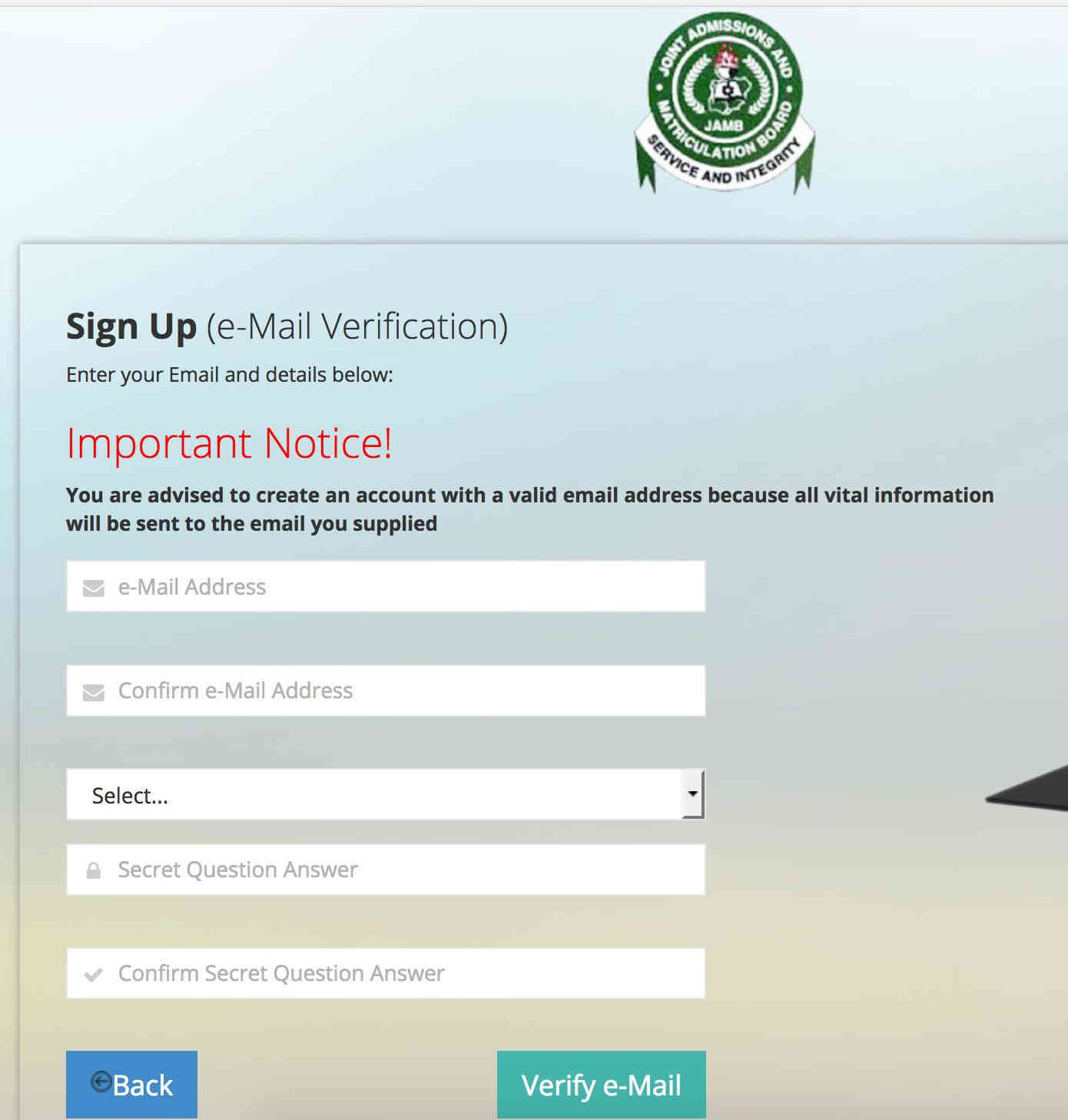
How to get your JAMB profile code through email:
-
Visit the JAMB e-facility portal:
- Go to portal.jamb.gov.ng/Efacility on a web browser.
-
Click “Sign up for UTME/DE”:
- Locate this button on the homepage and click it.
-
Create an account:
- Fill in the required details, including:
- Your valid email address
- A strong password
- Your phone number
- Security question and answer (for password recovery)
- Click “OK” to submit the information.
- Fill in the required details, including:
-
Check your email:
- Access the email address you provided during registration.
- Look for an email from JAMB with the subject “JAMB Profile Code.”
- Open the email.
-
Find the profile code:
- Within the email body, you’ll find a 10-digit number. This is your JAMB profile code.
-
Copy or note down the code:
- Carefully copy or write down the code as you’ll need it for subsequent registration steps.
Additional Tips:
- Use a reliable email address: Ensure you have access to the email account you provide, as JAMB will send important notifications there.
- Check spam folder: If you don’t see the email in your inbox, check your spam or junk folder.
- Resend the code: If you’ve lost or didn’t receive the code, you can resend it from the JAMB portal by clicking the “RESEND CODE” button.
- Contact JAMB support: If you encounter issues, contact JAMB’s support channels for assistance.
That is all for now on How to register for Jamb using USSD and Jamb portal online for free, closing date and how to UTME registration code.
Ejes Gist News stands for truth, responsible journalism, editorial integrity and fearless accountability.
You May Also Like


Trending Now