

How to generate Jamb profile code: A Step-by-Step Guide
Anyone registering with the Joint Admissions and Matriculation Board requires a JAMB profile code — a unique ten-digit number that must be produced before any JAMB registration can proceed.
This guide explains how the code is generated, the errors that most often trip candidates up, and what is needed before you start.
How JAMB institution change works and what it costs
What the profile code is and why it matters
As part of its effort to make registration less cumbersome, the board introduced a USSD route: *55019*1*NIN(National Identification Number)#. Candidates may also text their NIN — for instance 235826_***** — to 55019.
The profile code is the ten-digit number a candidate presents during registration. JAMB introduced the arrangement with the difficulties candidates typically encounter during the UTME registration window in mind.
How to generate your JAMB profile code
The quickest method is by SMS, which delivers what is also called the ten-digit account access code: simply dial *55019*1*NIN#.
Format for the JAMB profile code request
NIN, then your NIN digits, sent to 55019
Once the ten-digit code arrives, the next step is to visit an accredited cybercafé, where the JAMB e-PIN is generated and the registration completed.
JAMB registration 2024: getting through the exercise without hitches
What you need before generating the code
Only three items are required to create a JAMB profile code: your NIN, together with a phone number or an email address.
Creating the profile through email
If you own a smartphone with a reliable internet connection and would rather handle the process yourself, the procedure is straightforward.
- Go to the JAMB website
- Select the UTME/DE registration option
- Choose create account
- Pick “create JAMB profile account”
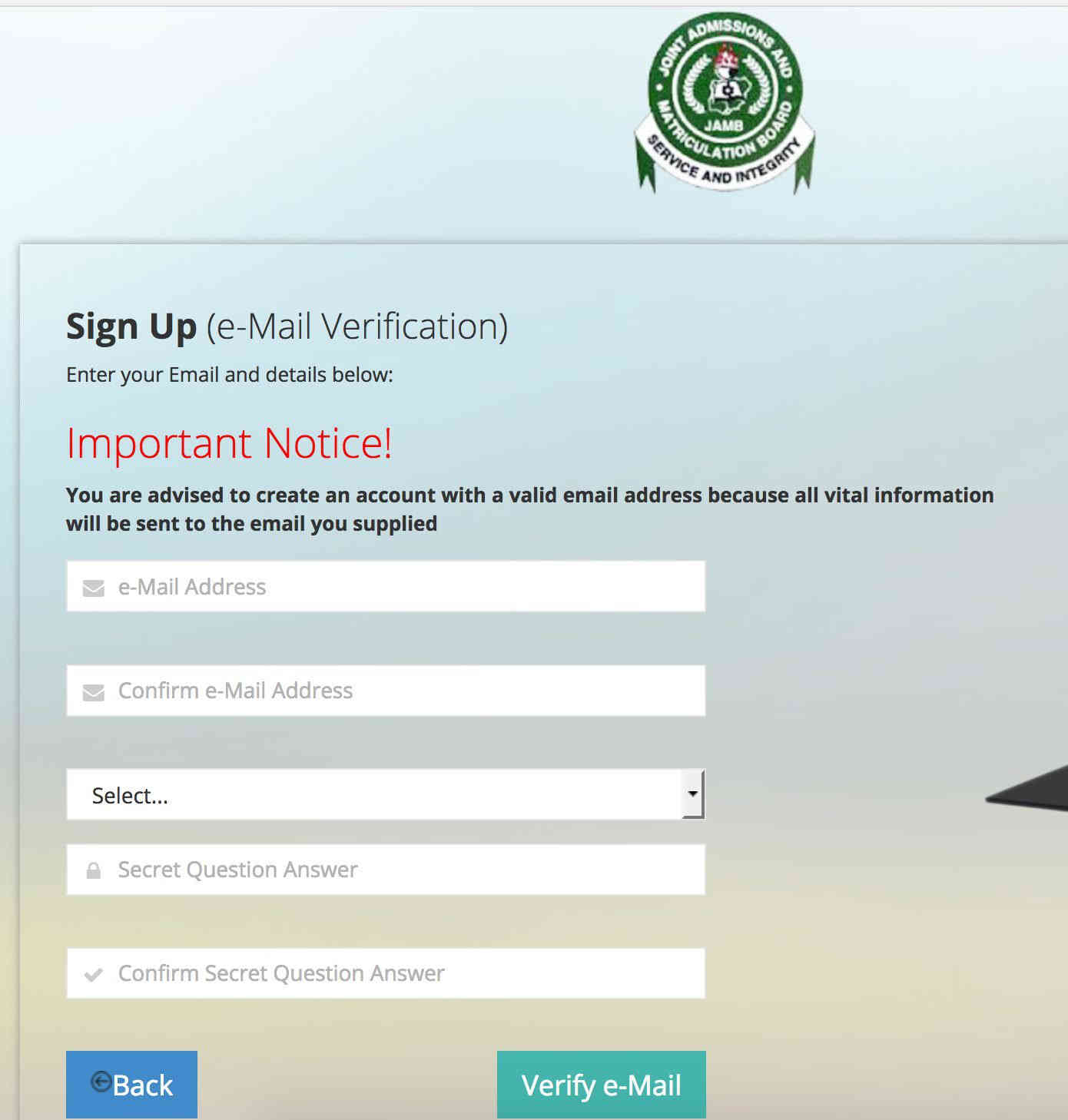
- Enter your email address and other details
- Complete the form with a working email address, your phone number and a security answer
- Click OK
- On the email confirmation page, press the OK button
- Open your mailbox and open the message from JAMB
- This is where the code for your JAMB account appears
- Follow the link contained in the JAMB message
- Select the prompt to continue creating your profile account
- Fill in your personal details
- Provide your first, second and middle names, then choose your gender
- Select your date of birth and type it correctly
- Enter your phone number, nationality, country of origin and place of origin
- Create a password, and write it down in a safe place, just in case
- Click Register
- Your account has now been created successfully
- Log in to the account
- Provide your email address and password
- The JAMB profile dashboard panel appears
- You can now access your JAMB profile
Errors to avoid when generating a JAMB profile code
Below are the mistakes candidates make most often, with advice on how to avoid each one.
1. Wrong personal details
- Confirm every entry: your name, gender, date of birth, NIN, email and phone number must tally with the records held by NIMC, WAEC and NECO.
- Get spelling and formatting right: steer clear of typographical errors and follow the instructions given for names and dates.
- Check the NIN linkage: make sure your NIN is correctly tied to the phone number you are using.
2. Complications with payment
- Pay strictly through approved channels cleared by JAMB.
- Keep proof of payment: confirm the transaction went through and retain the confirmation message or receipt.
- Steer clear of unaccredited agents: deal with JAMB or accredited centres only, so as to avoid scams.
3. Network trouble
- Use a dependable connection: a reliable internet link keeps the registration running smoothly.
- Try again where necessary: refresh the page or return later if a network error occurs.
- Ask for help: where the problem persists, contact JAMB support.
4. Generating the code more than once
- Generate it a single time: multiple codes create complications.
- Be patient: after generating the code, wait for the SMS or email confirmation.
- Look in your spam folder: if no message arrives, check the spam or junk folder.
5. Problems with your phone number
- Use an active line: the number must be one that is active and that you can access.
- Do not register twice: using different phone numbers can lead to conflicts on your profile.
- Ask for help: contact JAMB support if the number cannot be verified.
6. No NIN
- Obtain and link it: a NIN is compulsory, so get one from NIMC and link it to your phone number.
- Check accuracy: confirm the NIN you enter is correct during profile code generation.
Further advice when the profile code poses problems
- Follow the board’s rules: abide by JAMB’s official guidelines for profile code generation, which are published on its website and also available at accredited centres.
- Ask for clarification: contact JAMB support or visit an accredited centre whenever a step is unclear.
- Start early: beginning in good time avoids the last-minute rush that invites errors.
- Stay informed: keep yourself updated on JAMB announcements and deadlines by checking the board’s website and social media channels.
Final advice for a smooth registration
Working through the steps described above should allow you to generate your JAMB profile code with confidence and without difficulty. Supplying accurate and up-to-date information at every stage remains the surest way to prevent errors and complications. Best of luck with your registration.
Ejes Gist News stands for truth, responsible journalism, editorial integrity and fearless accountability.
You May Also Like
Trending Now