

How to Create Your JAMB Online Profile: Complete Step‑by‑Step Guide 2026
This guide on Ejes Gist News Nigeria sets out how to create a JAMB online profile and answers the question of how to create a JAMB profile.
Clear, step-by-step instructions for setting up a JAMB Online Profile with the Joint Admission and Matriculation Board
Anyone running into difficulty setting up a JAMB Online Profile will find simple guidance here for building the 2026 UTME profile needed for JAMB registration.
A profile is compulsory before a candidate can use the Joint Admission and Matriculations Board e-facility portal to carry out any transaction.
The profile is required to print JAMB result slips and admission letters, to apply for data correction, to check admission status and to handle admission regularisation.
What options exist for creating a JAMB profile?
There are three ways to create the online profile: through the JAMB portal, by USSD code, or by text message. Each one is simple, and candidates can choose whichever suits them.
Method one: the JAMB portal
Setting up a profile on the portal is straightforward. Follow the steps below.
Step 1: Open the JAMB e-facility portal.
https://efacility.jamb.gov.ng/ValidateeMail
Step 2: Select “Sign up for UTME/DE”.
Locate this button on the homepage and click it.
JAMB UTME Registration 2026: Dates, Form Price, Requirements, and Complete Updates
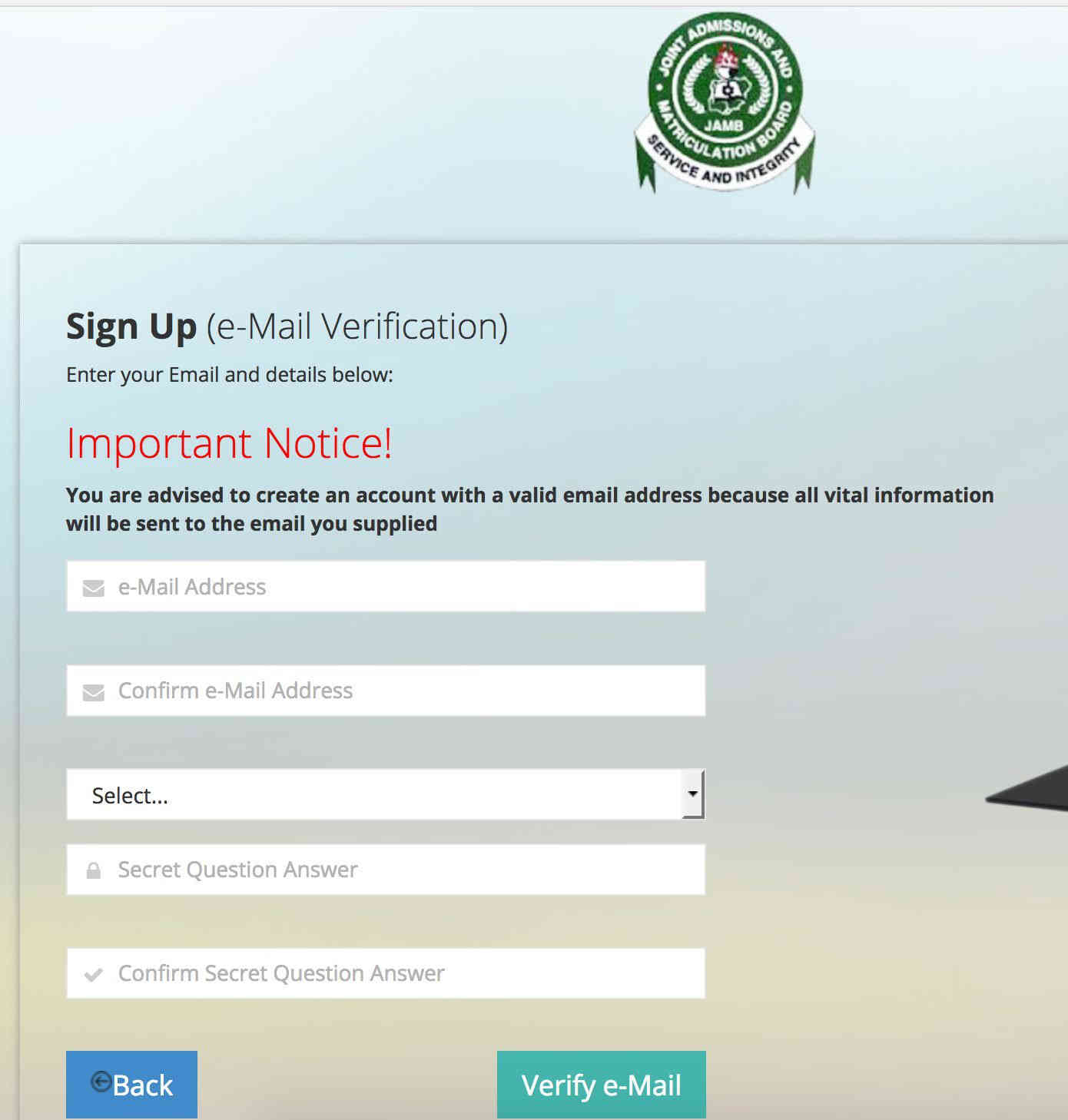
Step 3: Register an account.
Supply the details requested, including:
- A valid email address
- A strong password
- A phone number
- A security question and answer, used for password recovery
Step 4: Confirm your email address.
Click “OK” to send the information. A verification link will arrive in your inbox; open the message and click the link to verify the account.
Step 5: Enter your personal details.
Once verification is done, you will be taken to a page asking for personal information such as:
- Surname
- First name
- Middle name
- Date of birth
- Gender
- Place of birth
- State of origin
- Nationality
Step 6: Complete your JAMB profile.
Check the information supplied and click “Submit” to create the profile. A 10-digit profile code will then be sent to your email.
Method two: dialling a USSD code
Step 1: Dial the appropriate USSD code.
Two codes are available, depending on the network operator:
- For MTN, Glo, 9mobile and Airtel: 55019NIN#
- For 9mobile: 66019NIN#
Step 2: Supply your NIN.
Type your actual National Identification Number in place of “NIN” and send the message.
Step 3: Receive your profile code.
A 10-digit profile code will be delivered by SMS.
Method three: sending a text message
To generate a new profile by SMS, send a text message to 55019 containing your surname, first name and middle initial. Separate the names with a space and keep them in that order, for example: Grace Peter James. A fee of N50 applies.
Whichever route is used, the profile code should be kept safe, since it is needed for the remaining registration steps.
Extra tip:
Creating the profile early is advisable, so as to avoid a last-minute scramble during registration periods.
JAMB Registration 2026: How To Make Hitch-Free Registration
JAMB Online Profile
After the profile has been created successfully, check your email for the JAMB verification mail and click it to complete the registration.
Ejes Gist News stands for truth, responsible journalism, editorial integrity and fearless accountability.
You May Also Like
Trending Now